

GRAPHICS CARD BUYING GUIDE
Graphics cards get talked about a lot, and understood a lot less. Do you actually need one? How much should you spend? And what on earth does “RTX 5070 Ti” actually mean? We have written this guide to help make sense of it all before you spend your money.
WHY WOULD YOU NEED ONE?
The first thing to work out is WHY you think you need one. What are you going to use your computer for?
Every computer already has SOME graphics ability built in, whether you asked for it or not. The real question is whether that built-in ability is enough, or whether you need to add a dedicated graphics card on top. Which one applies to you mostly comes down to whether you're gaming, editing, or just getting through the day.
WHAT DOES THAT MEAN?
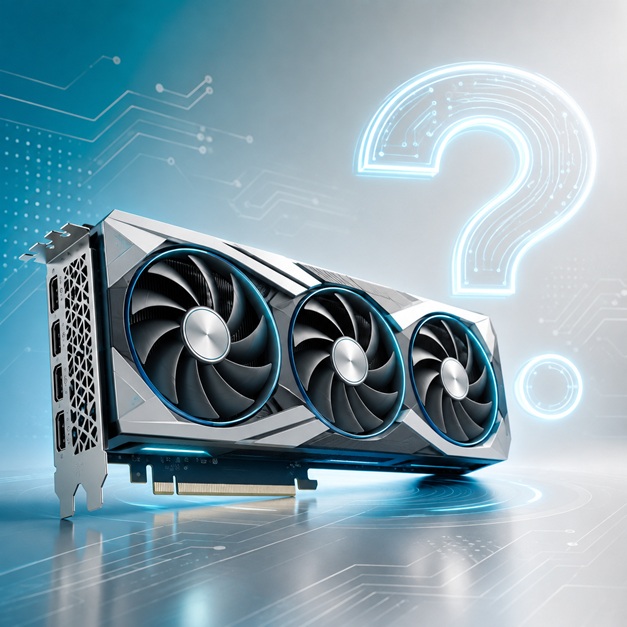
A graphics card, or GPU (Graphics Processing Unit), is a separate piece of hardware whose only job is figuring out what colour every pixel on your screen should be, millions of times a second. Most CPUs also come with a small amount of graphics ability built directly in - this is called integrated graphics, and it borrows the computer's normal RAM to do its job.
A dedicated graphics card instead comes with its own memory, called VRAM, sitting right next to its own processor. Think of your CPU as one very skilled all-rounder, handling one task after another extremely quickly. A GPU is more like an enormous team of workers - individually simpler, but there are thousands of them, and they can all work on the same kind of simple, repetitive task (like colouring in a pixel) at exactly the same time. That's why GPUs are so much better at rendering graphics, and more recently certain AI tasks, than a CPU is.
GAMING & CREATIVE WORK
If you're wanting to play the latest games at high detail and a smooth frame rate, or you're doing video editing, 3D rendering or certain AI work, you will need a dedicated graphics card. Games like Cyberpunk 2077, Red Dead Redemption, Alan Wake 2 or Black Myth: Wukong, and editing software like Premiere Pro or DaVinci Resolve, lean heavily on the GPU rather than the CPU.
BUT if by “gaming” you mean Solitaire, and the rest of your time is spent in Chrome, Word or Netflix, you likely don't need to spend a cent on a graphics card. Integrated graphics handles all of that very well.
The question to ask yourself is “how demanding is what I actually do, most of the time?” For high-end gaming or creative work, budget for a dedicated card. For everyday home or office use, it doesn't need to be a priority.
DECODING THE MODEL NUMBERS
This is the bit that confuses most people, and it's actually simpler than it looks once you know the pattern. Every graphics card name is really just a few pieces of information stacked together: the brand, the family, the generation, and the tier.
Take GeForce RTX 5070 Ti as an example:
- GeForce is NVIDIA's brand name for its graphics cards.
- RTX means it supports ray tracing and AI-based rendering (older, more basic cards were called GTX).
- The 5 tells you the generation - this is the 50-series, following on from the 40-series, 30-series and so on.
- The 70 tells you the tier within that generation. Roughly speaking: 90 is the flagship, no-expense-spared model. 80 is high-end. 70 is upper-mid, aimed at serious gamers. 60 is the most popular, sensible middle ground. 50 is entry-level.
- Ti is a “boosted” version of that tier - usually a bit more VRAM or a faster chip, slotted in just above the standard card. NVIDIA also uses “Super” for the same idea.
AMD follows an almost identical pattern with its Radeon RX cards. A Radeon RX 9070 XT breaks down the same way: Radeon is AMD's brand, RX is the desktop gaming range, 9 is the generation (currently the 9000-series), 70 is the tier, and XT is AMD's version of “boosted.”
Intel is newer to this game and uses letters instead of a leading digit for its Arc cards - an Arc B580 is Intel's second-generation (“Battlemage”) design, in their 580 tier.
Here's the trap for consumers: a bigger generation number does NOT automatically mean a faster card. A current 60-tier card is not necessarily faster than an older-generation 80 or 90-tier card. Always compare actual performance, not just how new or big the number looks.
VRAM - HOW MUCH DO YOU NEED?
The first trade-off question to ask yourself is “what resolution and detail level am I actually playing or working at?”
- 8GB is fine for 1080p gaming at medium-high settings.
- 12-16GB is a much more comfortable amount for 1440p, 4K, or many of today's more demanding games.
- Video editors and 3D designers should lean toward more VRAM regardless of resolution, since large projects and textures need to fit into memory all at once.
Running out of VRAM doesn't crash your computer, it just quietly drops your detail settings or slows things right down - so it pays to buy a little more than you think you need.
POWER, SIZE & COOLING
Being able to actually fit the card in your computer, and power it properly, is really easy to overlook until it's too late.
Consider...
- Will the card physically fit in your case? Some of the bigger cards are enormous.
- Does your power supply have enough wattage, and the right cables, for this specific card?
- Graphics cards get hot and can be noisy under load - is that alright for the room it's going in?
If you're unsure on any of these, it's worth asking before you buy rather than after.
WHICH BRAND CARD?
NVIDIA, AMD and Intel design the chip inside the card, but they don't usually sell you the actual card itself. Companies like ASUS, MSI, Gigabyte, Zotac and Sapphire - known as “add-in board partners” - build and sell the physical card, adding their own cooling, factory overclocks and warranty on top.
This is a trap for consumers because two cards can have the exact same chip inside and yet be a very different price - why is that? Usually cooling quality, build quality, or the brand name itself. As with laptops, the length of the warranty is one of the best indicators of a card's expected quality. Anything with 3 years or more is good.
SHOULD YOU BUY SECOND-HAND?
Second-hand cards can be a great deal, or a costly mistake. The second-hand market has plenty of cards that spent months or years running flat-out for crypto-mining, and heavy sustained use like that can shorten a card's life considerably.
The trouble is, it's often impossible to tell just by looking. If a second-hand price looks too good to be true, ask the seller directly what it was used for, and always check what's left on the manufacturer's warranty, if any.
WE CAN HELP TOO
We can help you pick, install or upgrade a graphics card if you'd like a hand, but our greatest desire is that you end up with a card that's actually well suited to what you use your computer for. So, feel free to email us any models you are seriously considering.
If you want us to supply and install one for you, give us a call - we only recommend cards from brands we trust, that we'd be happy to put in our own computers.
Here to help.
The Team at Computer Help
160b Selwyn Street, Christchurch